Generating tags...
Our YouTube SEO Tools
YouTube Tag Generator
Generate optimized, relevant tags to improve your video's search ranking and visibility on YouTube.
Try it nowHashtag Generator
Create trending hashtags to boost your video's reach across YouTube and social media platforms.
Try it nowTag Extractor
Extract tags from successful videos to understand competitors' strategies and improve yours.
Try it nowHashtag Extractor
Find and extract hashtags from trending videos to improve your content's social media reach.
Try it nowVideo Analyzer
Get detailed insights and recommendations to improve your video's performance and engagement.
Try it nowFree & Easy to Use
All tools are completely free with no registration required. Get results in seconds with our user-friendly interface.
Learn moreHow It Works
Enter Your Content
Input your video title or description
AI Analysis
Our AI analyzes your content for relevant keywords
Get Tags
Receive optimized tags for your video
What Are Youtube Tags
YouTube video tags are descriptive words and phrases that are most relevant to your YouTube videos. These video tags are added to your youtube videos to help the YouTube algorithm understand the content and context of your video.
By understanding the content and context of your video through YouTube video tags, YouTube increases the chances of your video appearing in search results for people who are searching for related content, helping you get more relevant traffic and better reach.
When users search on YouTube, the algorithm considers video tags—along with the title, description, and other metadata—to determine which videos to display in the search results.
For example, a video titled "How to Make a Moist Chocolate Cake at Home" could include relevant tags like "best chocolate cake recipe," "easy moist chocolate cake recipe," "moist chocolate cake recipe easy," and "easy cake recipe," helping it appear in search results for users interested in baking.
Are Youtube Tags Important
Yes, YouTube tags are still important, but they are no longer the most critical factor in video SEO. Even Google acknowledges that tags have minimal impact on a video's discovery, except in cases where the video content is commonly misspelled.
However, adding YouTube tags can still help the algorithm better understand the content and context of your video.
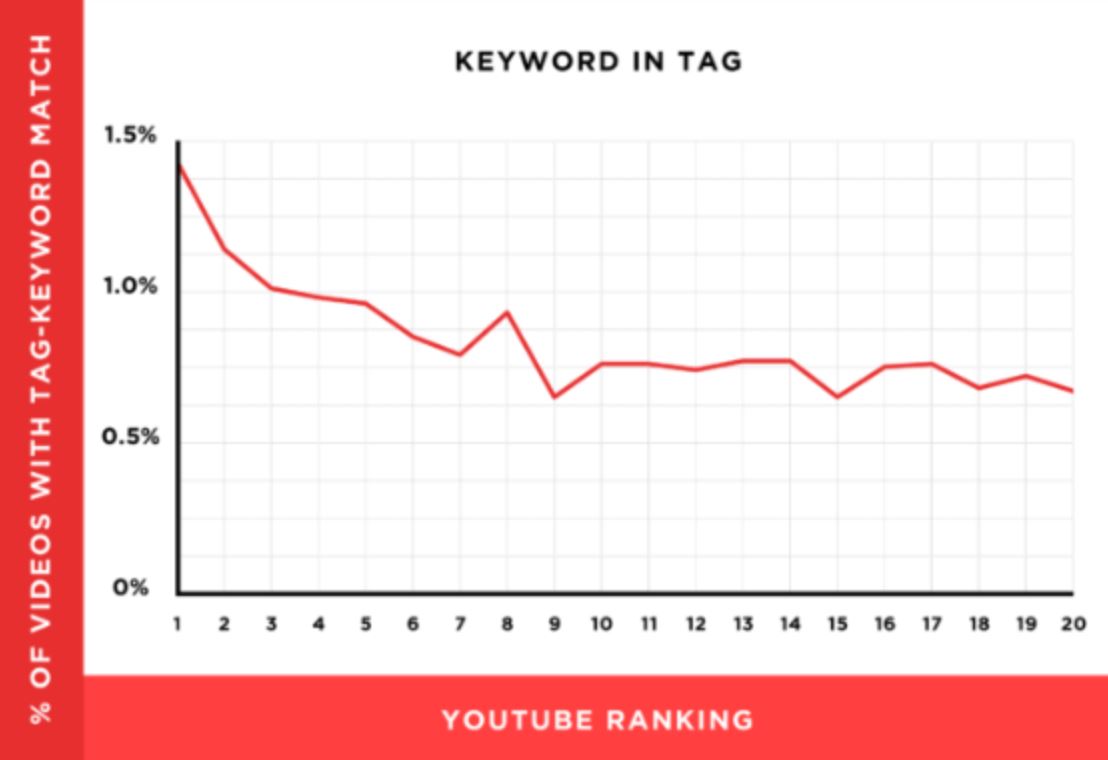
According to Backlinko, videos with tags that match their target keywords tend to perform better, indicating that while tags aren't the top ranking factor, they still contribute to improved visibility and search performance when used correctly.
How To Generate Youtube Tags Using Our Free Youtube Tag Generator
To generate YouTube tags for your video using our free and easy-to-use YouTube Tag Generator, just follow these simple steps:
- Open our YouTube Tag Generator tool.
- Enter the title or description of your YouTube video.
- Click the "Generate Tags" button.
- Our tool will instantly generate multiple relevant YouTube tags based on your video content.
- You can copy the most relevant tags one by one by clicking on them, or copy all the tags at once by clicking the "Copy All Tags" button.
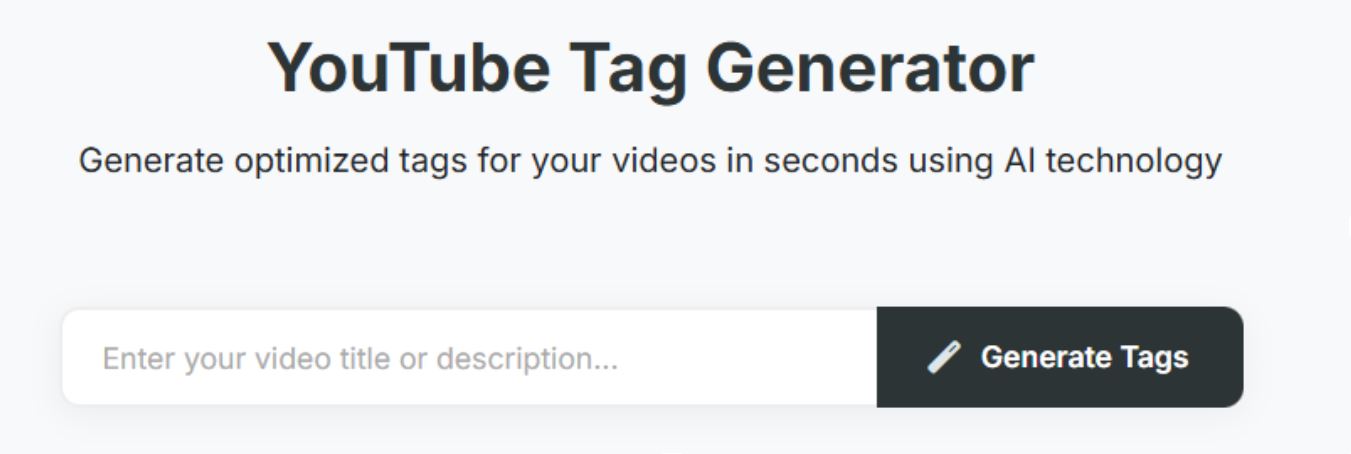
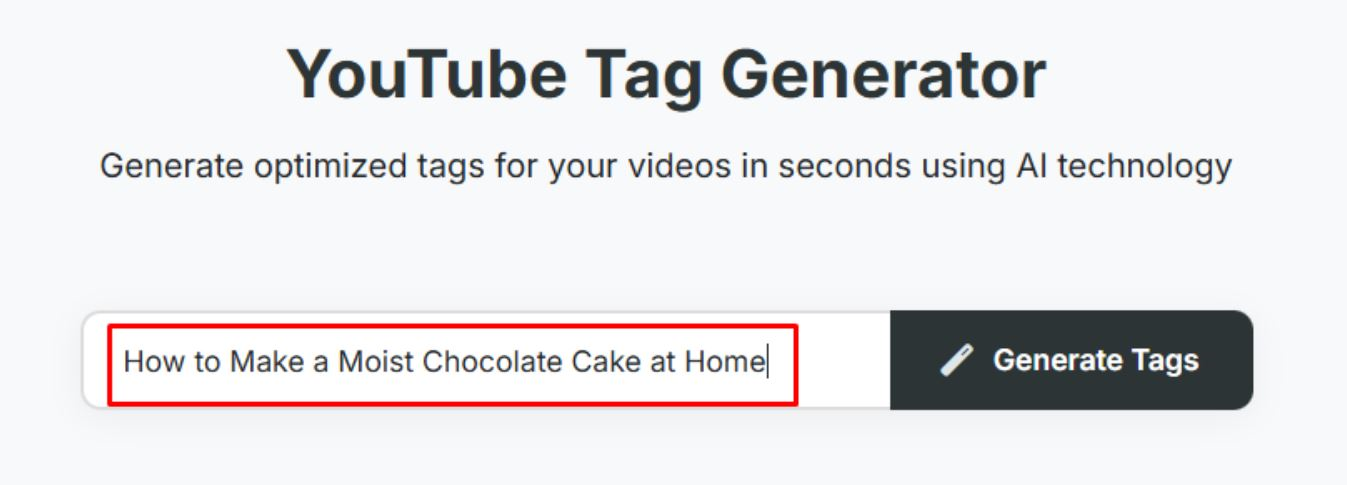
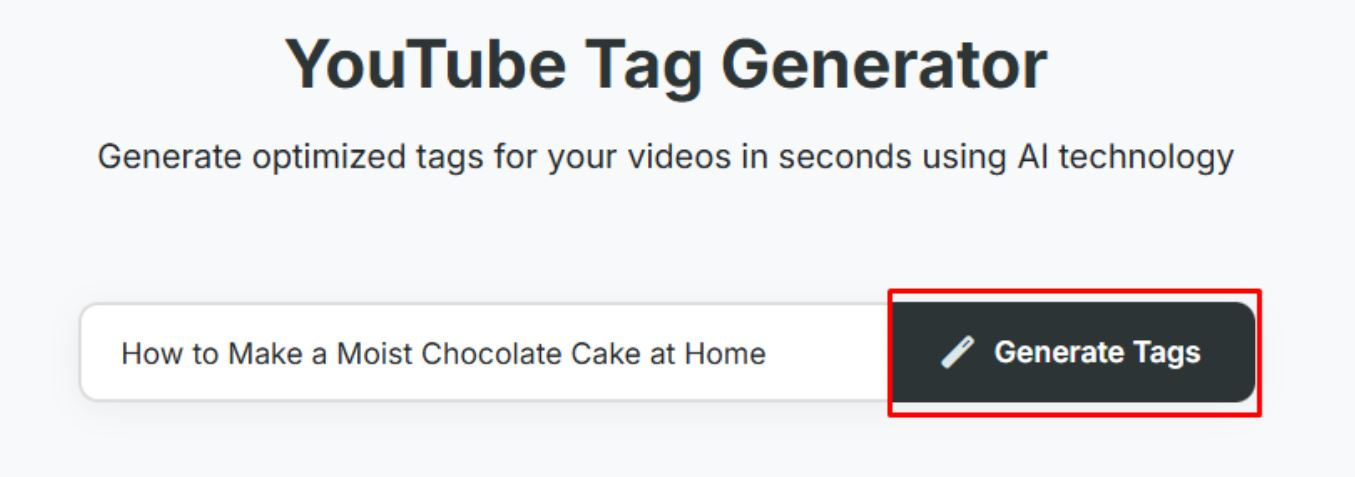

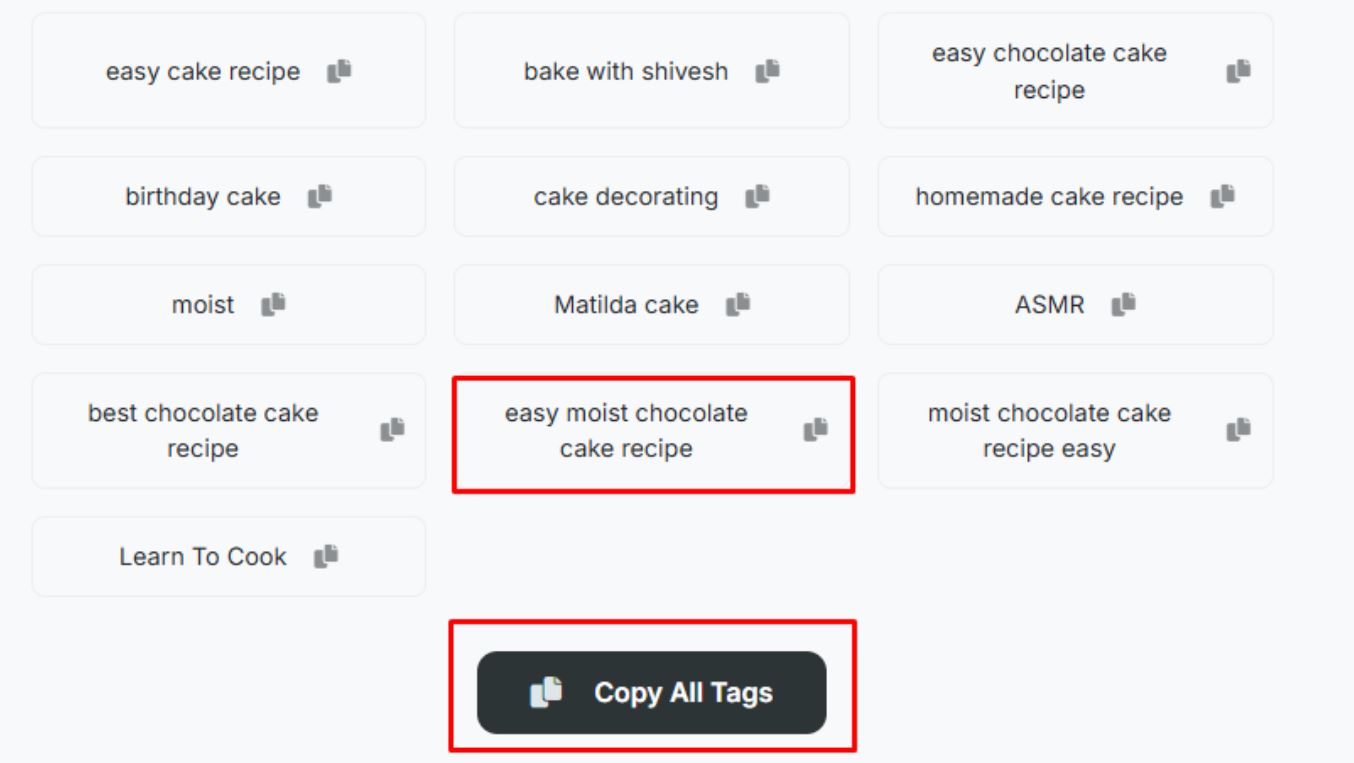
Finally, use these tags in your video to improve its visibility and search ranking.
Features of Our Youtube Tag Generator
Easy to Use
Our YouTube Tag Generator is designed for simplicity, making it accessible to everyone. There's no need for technical expertise or complicated steps. Just enter your video title or description, click a button, and the tool will generate relevant tags instantly. It's quick, straightforward, and perfect for creators of all levels.
Free
The tool is completely free to use with no hidden charges or limitations. You can generate as many tags as you need, without worrying about running out of credits or paying for premium features. It's an entirely cost-free solution to help boost your video's visibility. Ideal for creators on any budget.
No Signup Required
We believe in making things easy, so you don't need to sign up or create an account. Simply open the tool and start generating tags immediately. There's no need to provide personal information or email addresses. Enjoy hassle-free access and get started right away.
Flexible Tag Copying Option
You have the option to copy all the generated tags at once or select individual tags to copy one by one. This gives you control over which tags you want to use for your video. The "Copy All Tags" button saves time, while manual selection allows for greater customization. It's up to you!
Get the Most Trending Tags
Our AI-powered tool provides you with the most trending tags, helping you stay ahead of the curve. By effortlessly generating the latest and most popular tags, you can ensure your content remains relevant and trendy. This feature is perfect for creators who want to stay in sync with current trends and boost their video's reach.
How to Add Tags To Youtube Videos
You can add video tags to your videos by following these steps:
For New Videos:
Sign in to YouTube Studio.
Click the CREATE button in the top right corner and select Upload Video.
Choose the video file you want to upload.
In the Details section, click MORE OPTIONS.
Scroll down and add your tags in the Tags field.
For Uploaded Videos:
Sign in to YouTube Studio.
From the left-hand menu, click Content and select the video you want to edit.
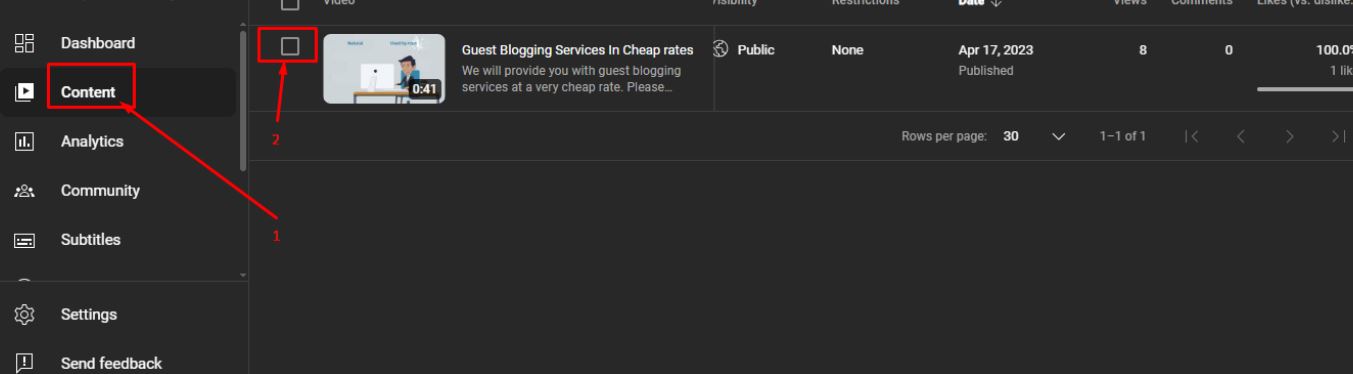
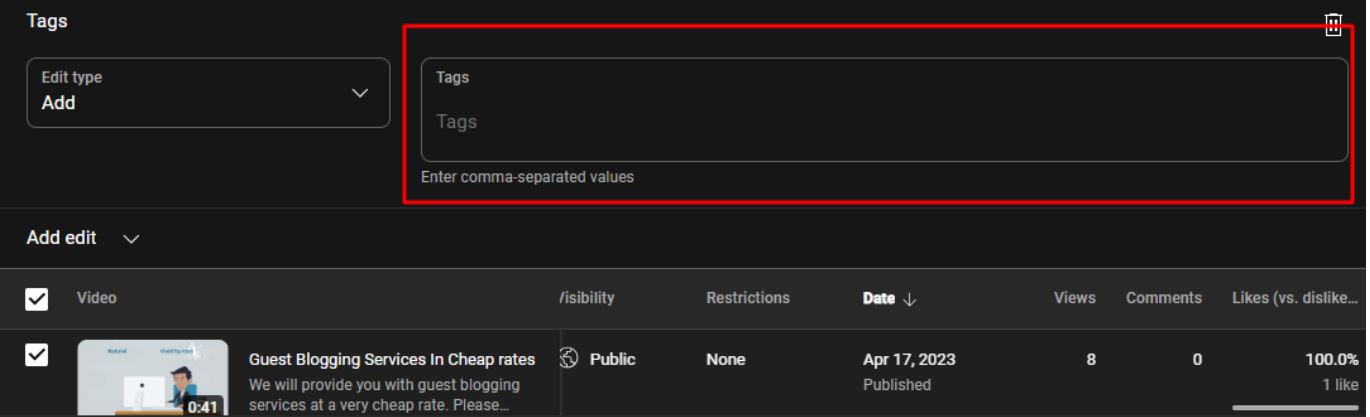
Click Edit to expand additional options.
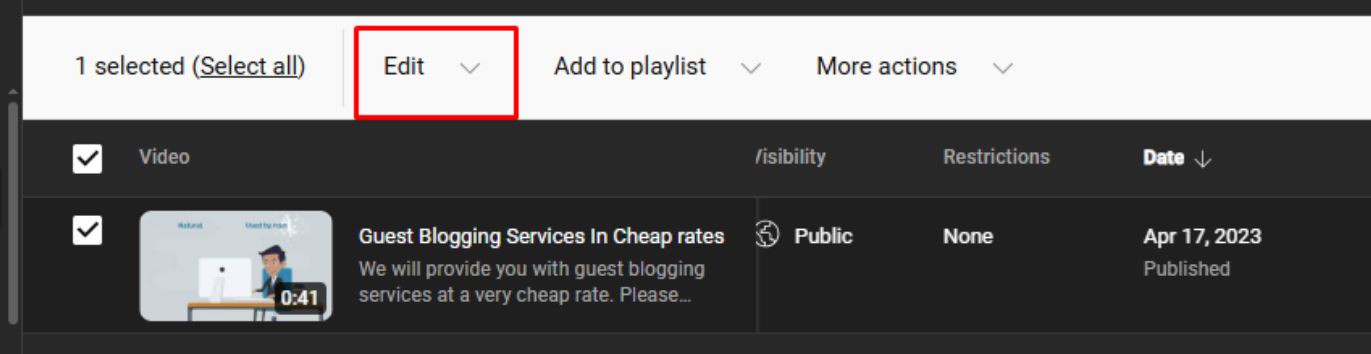
Select the Tags option from the drop down menu.
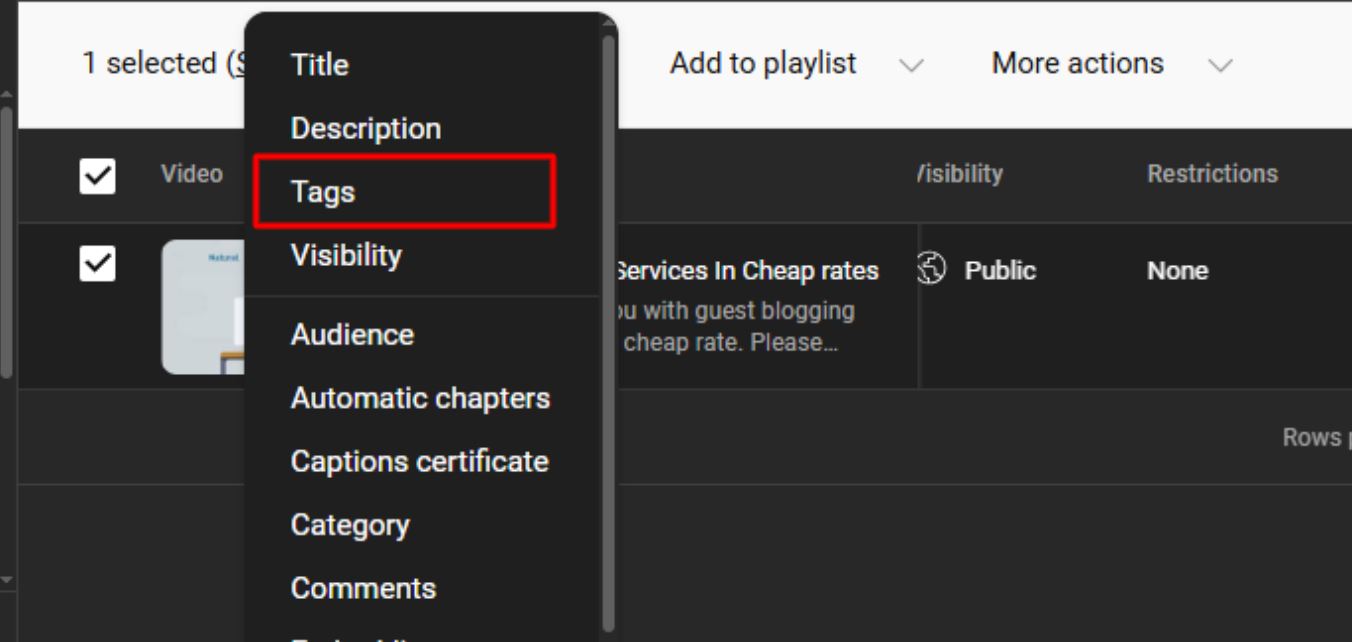
Start Adding your Tags in the Tags field.
Frequently Asked Questions
How Many Tags Should a YouTuber Use in Videos?
YouTubers should ideally use 5 to 8 highly relevant tags per video to keep the content focused and optimized. Using too many tags can make your content appear spam and may reduce its visibility. Google clearly states: "Adding excessive tags to your video description is against our policies on spam, deceptive practices, and scams." So, it's best to stick to quality over quantity when tagging.
What Is the Character Limit for YouTube Tags?
YouTube allows a maximum of 500 characters for all your video tags combined. However, using the full limit isn't always necessary. It's better to include only meaningful and targeted keywords that reflect your content. Avoid overfilling just to hit the limit—it won't help ranking.
What Is the Best Practice to Use YouTube Video Tags?
The best practice is to use specific, relevant tags that directly relate to your video's topic. Include a mix of broad and niche keywords to improve discoverability. Avoid using misleading or unrelated tags, as they can hurt your ranking. Keep your tag strategy focused, clean, and accurate.
YouTube Tag Generator FAQ
Our tag generator uses AI to analyze your video title or description and generate relevant tags. Here's how it works:
- Step 1: You enter your video title or topic (e.g., "How to make sourdough bread")
- Step 2: Our system analyzes your input and identifies key topics, related terms, and search patterns
- Step 3: We generate a list of tags that match what viewers actually search for on YouTube
- Step 4: You copy the tags and paste them into YouTube Studio
The entire process takes just a few seconds.
YouTube tags go in a specific field when uploading or editing a video:
- Go to YouTube Studio → Content
- Click on the video you want to edit
- Click "Show More" to expand additional options
- Scroll down to find the "Tags" field
- Paste your tags, separating each with a comma
- Click "Save"
Note: Tags are different from hashtags. Tags are hidden metadata, while hashtags appear in your title/description.
Tags have a minor but helpful impact on YouTube SEO. According to YouTube's own documentation, tags help with:
- Misspellings: If your content is commonly misspelled, tags help viewers find you
- Context: Tags help YouTube understand what your video is about
- Related videos: Well-chosen tags can help your video appear as a "suggested video"
However, your title, description, and thumbnail have a much bigger impact on rankings. Tags are one piece of the puzzle, not the whole solution.
YouTube allows up to 500 characters for tags total. However, more isn't always better:
- Recommended: 5-10 highly relevant tags
- Avoid: Stuffing with 30+ tags (can look spammy)
- First tag matters: Put your main keyword first
- Mix it up: Use both specific and broad tags
Example for a cooking video: "chocolate chip cookies recipe" (specific), "baking" (broad), "easy desserts" (medium).
Yes, 100% free with no catches:
- No account required
- No credit card needed
- No usage limits
- No "premium" upsells hiding the good features
We display ads to cover our server costs, but the tools themselves are completely free to use as much as you want.
No, you shouldn't. Using identical tags for all your videos can actually hurt your channel:
- YouTube may see it as spam behavior
- Your videos will compete against each other for the same keywords
- You'll miss opportunities to rank for specific topics
Best practice: Use our generator for each video with its specific title. Keep 2-3 "channel tags" consistent (like your channel name) but make the rest unique.
Good YouTube tags share these qualities:
- Relevant: Actually describes what's in your video
- Searchable: Terms people actually type into YouTube
- Specific: "chocolate cake recipe" beats just "cake"
- Accurate: Misleading tags can get your video removed
Bad example: Using "MrBeast" as a tag when your video has nothing to do with him. YouTube can penalize this.